Ease of Use
Effortless WordPress Management with Rapyd Cloud
Simplify site management with a user-friendly platform designed to streamline workflows and enhance performance. From launching a site to configuring settings, Rapyd makes it easy so that you can focus more on growing your business.
Trusted by professionals. 180+ five-star reviews on Trustpilot & G2.
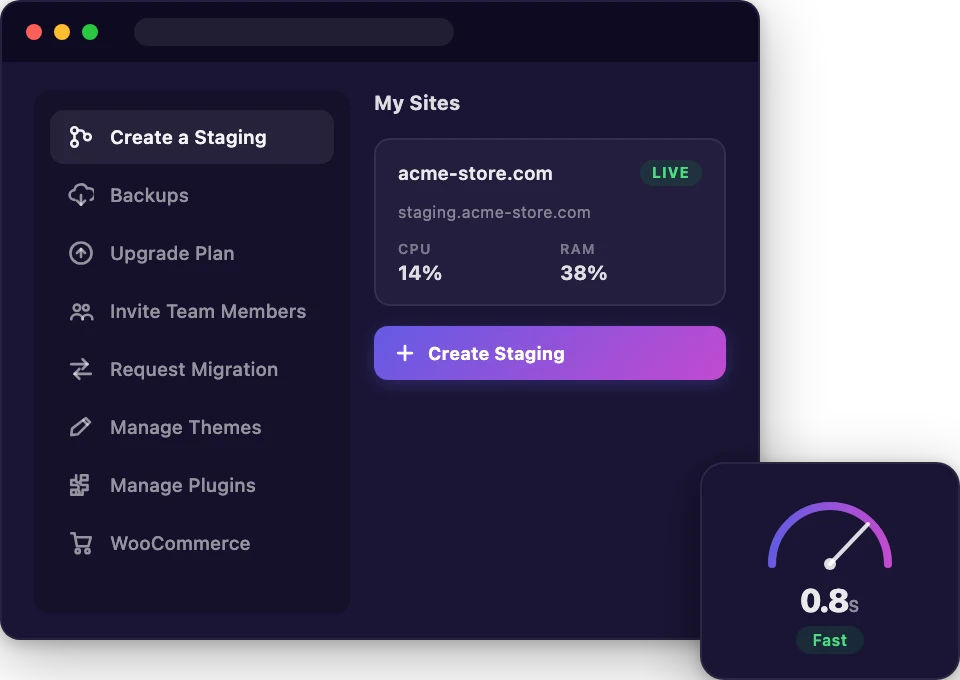
Everything You Need in One Dashboard
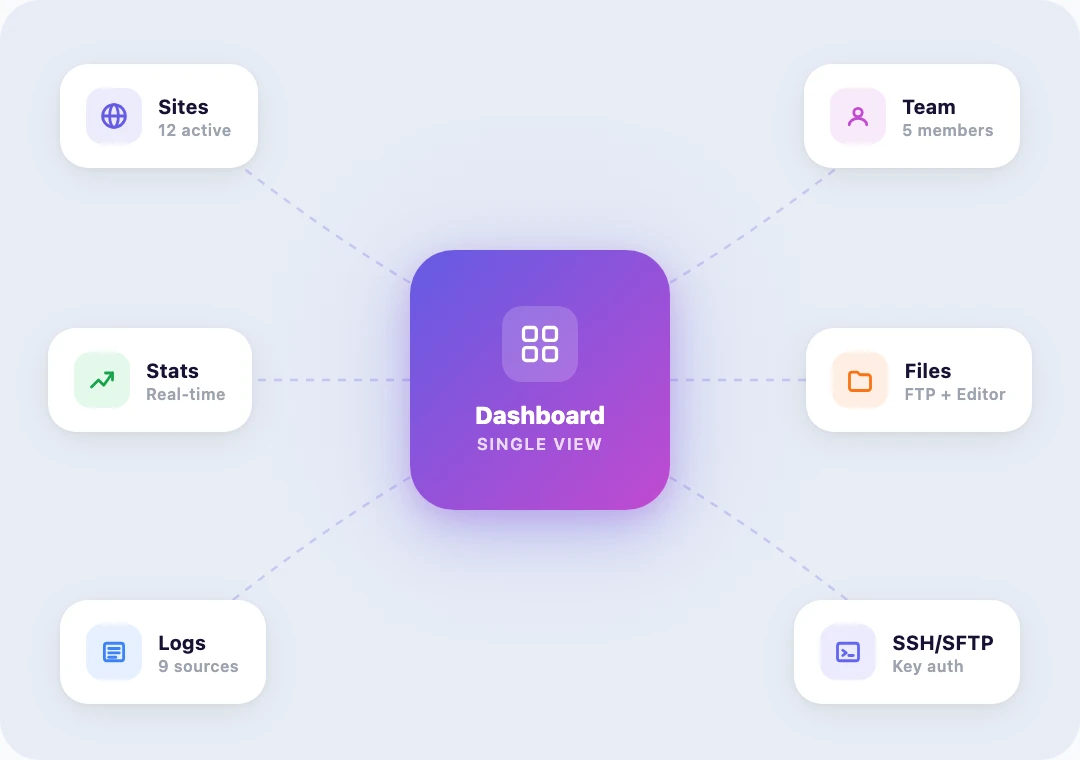
Manage every site, team member, and setting from a single dashboard.

Unified Dashboard
A single bird's-eye view of every site, environment, and team member.
Multi-Site Management
Run multiple sites in one place without switching dashboards or logins.
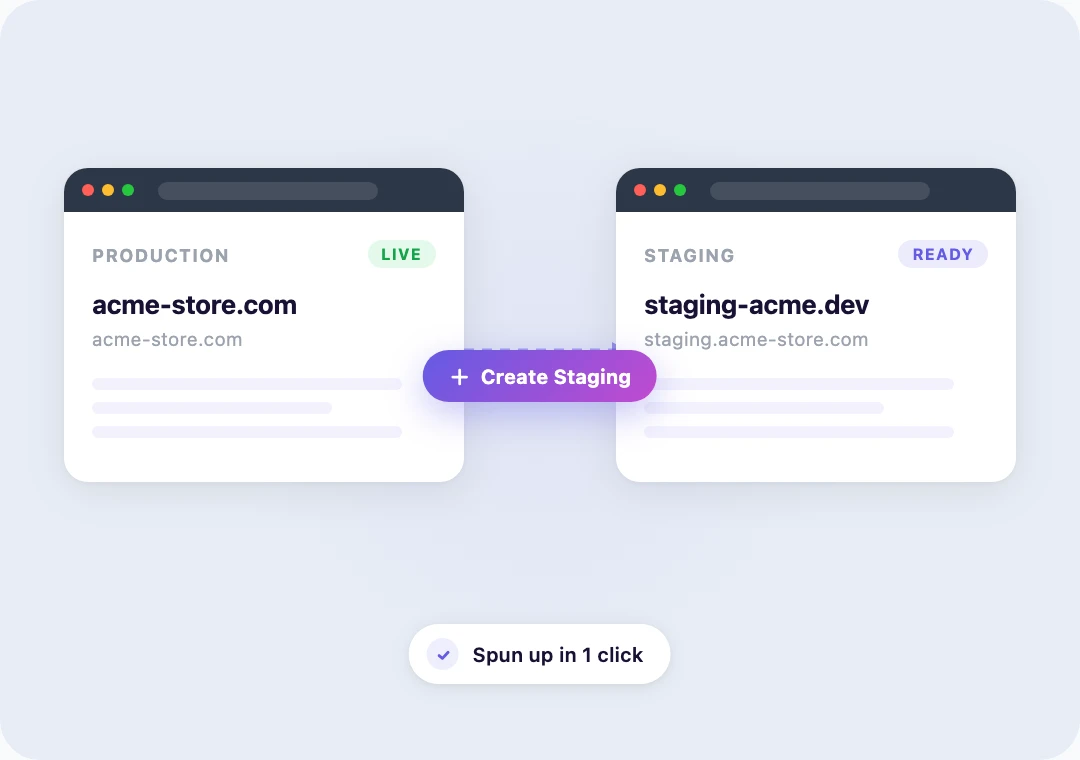
1-Click Staging
Spin up a staging environment to test edits before they hit production.
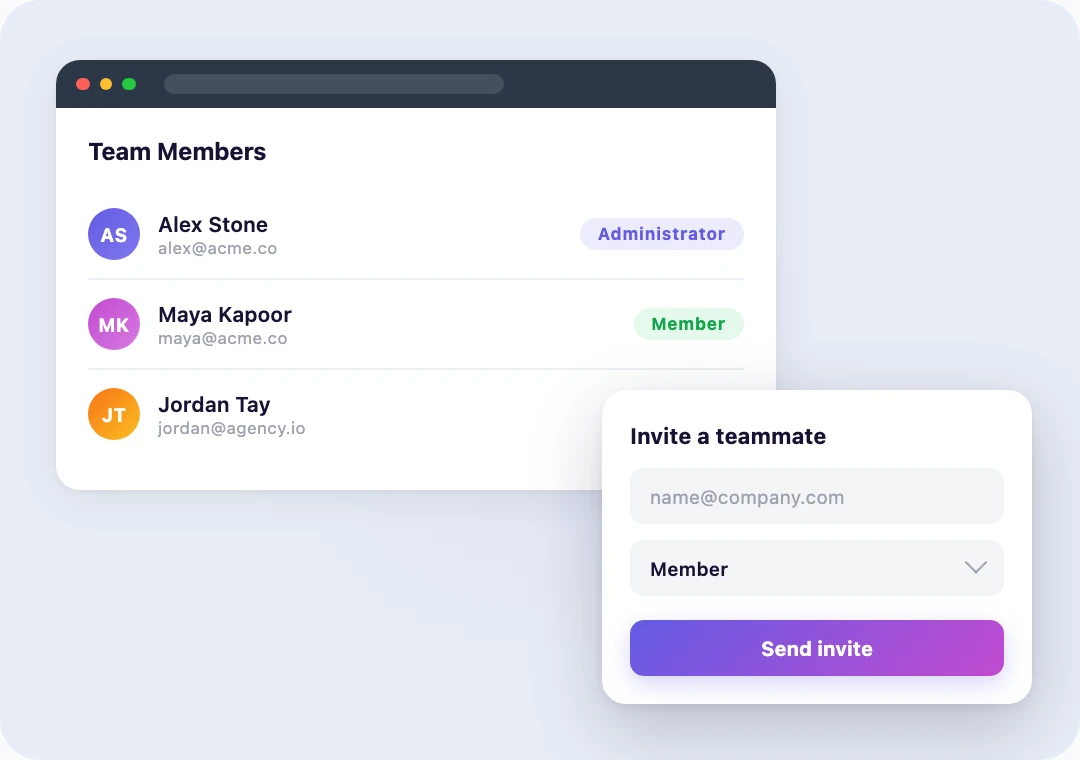
Team Roles & Access
Invite teammates and clients with the right level of access for each.
File Manager
Browse, edit, and upload files straight from the dashboard. No SFTP client required.
phpMyAdmin Access
One-click database access for queries, exports, and quick fixes.
Real-Time Stats
Live traffic, CPU, RAM, and storage right where you need them.

Activity Logs
Access, PHP error, and audit logs for fast debugging when something looks off.
SSH & SFTP
Direct server access for developers who need to ship straight from the terminal.
Effortless Site Management, Just a Few Clicks Away
From launching a site to configuring settings, every action is a click away.
Create a Staging Site in One Click
Spin up a staging copy of your site to test theme tweaks, plugin updates, or content changes without risk. Test as much as you want — your live site stays untouched.
Built So You Don't Have to Think About Hosting
The dashboard does the heavy lifting. You stay focused on the site.
Multiple Sites Per Environment, Managed From One Dashboard
Spin up a new isolated cloud environment in minutes and add as many WordPress sites inside it as your plan allows. Each environment comes with its own dedicated resources, file manager, phpMyAdmin, and SSH/SFTP — all from the same dashboard.
Add team members with role-based access, watch resource usage in real time, and dig into the advanced log tool when something needs investigating. No tab juggling.
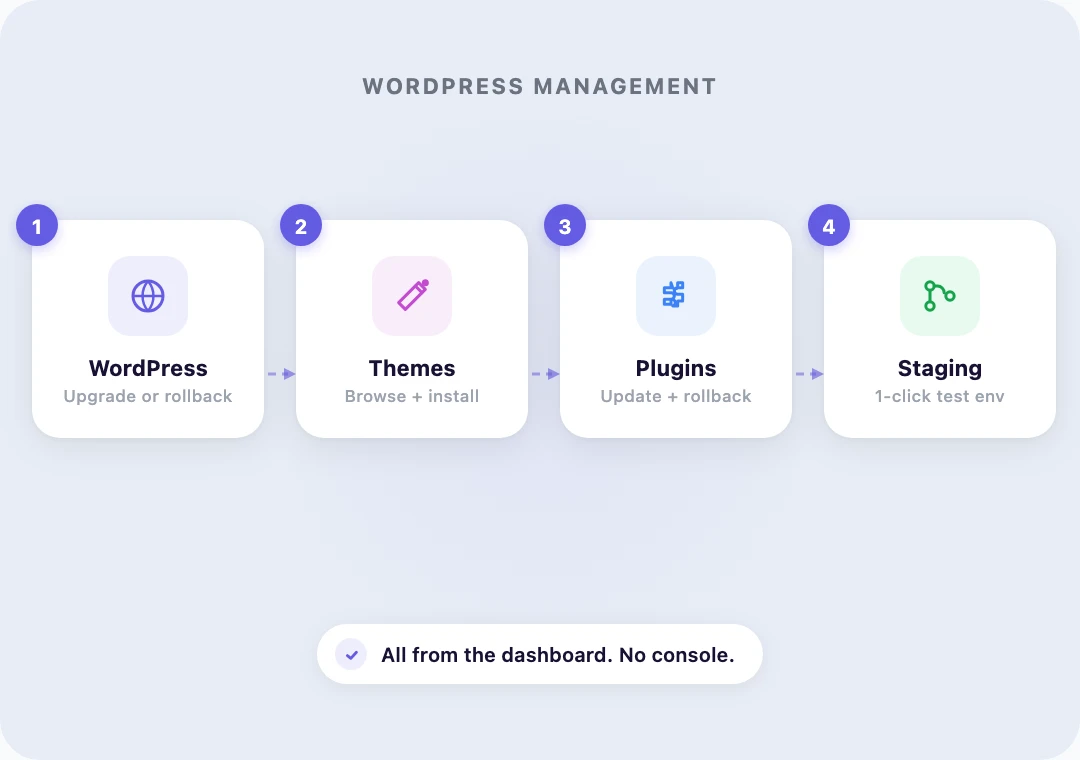
Manage WordPress Without Leaving the Dashboard
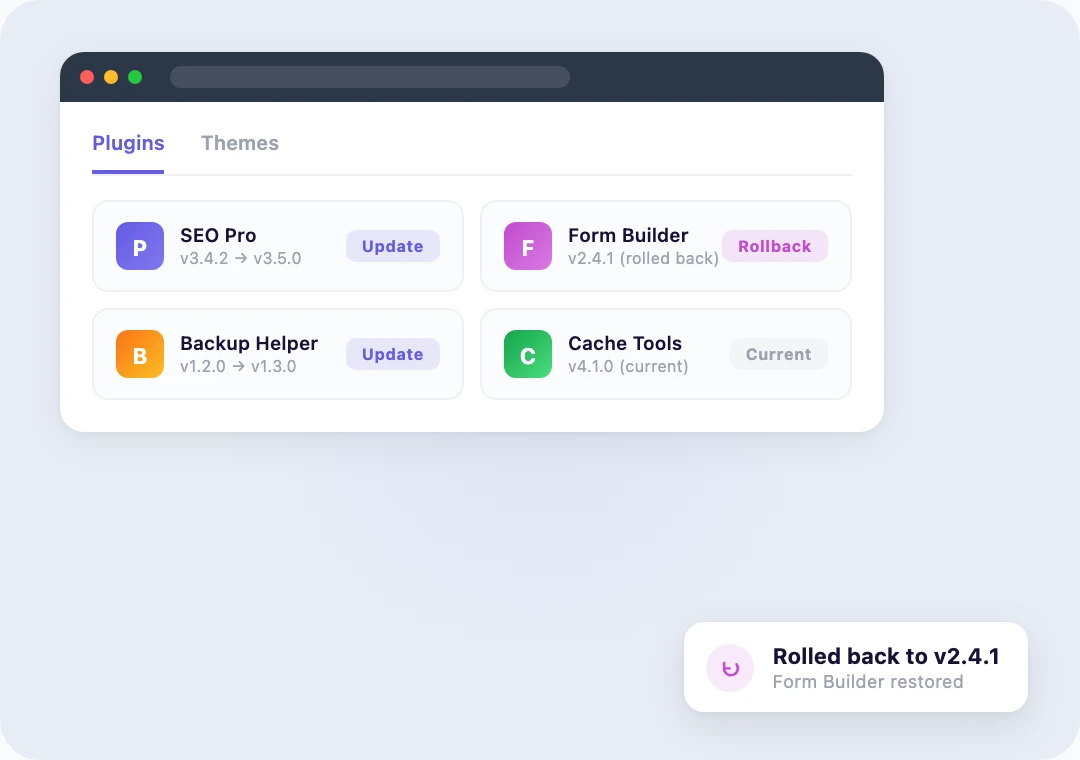
Manage your WordPress version, themes, and plugins from the Rapyd dashboard. Spin up a 1-click staging environment to test edits without touching your live site.
Instant WordPress setup gets a new site live in minutes, and SSH access is there for developers who want it.
Real-Time Stats and Reliable Backups
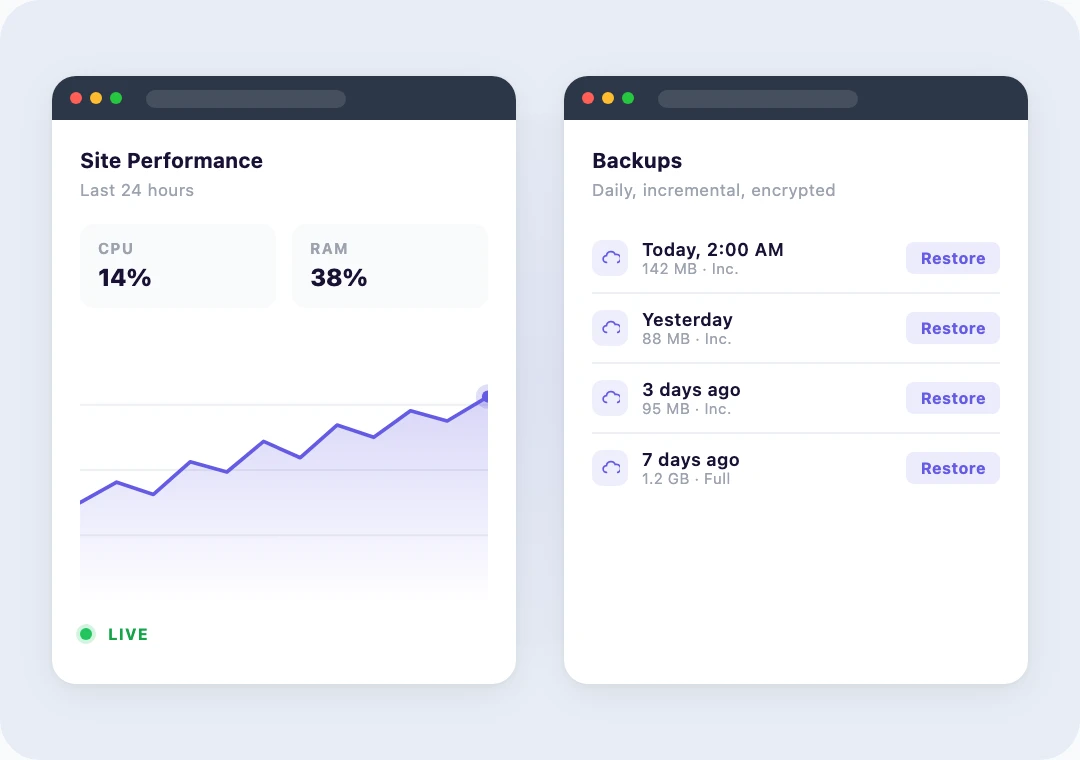
Monitor traffic, CPU, RAM, and storage in real time so you spot issues before users do. Detailed activity logs make root-cause analysis fast.
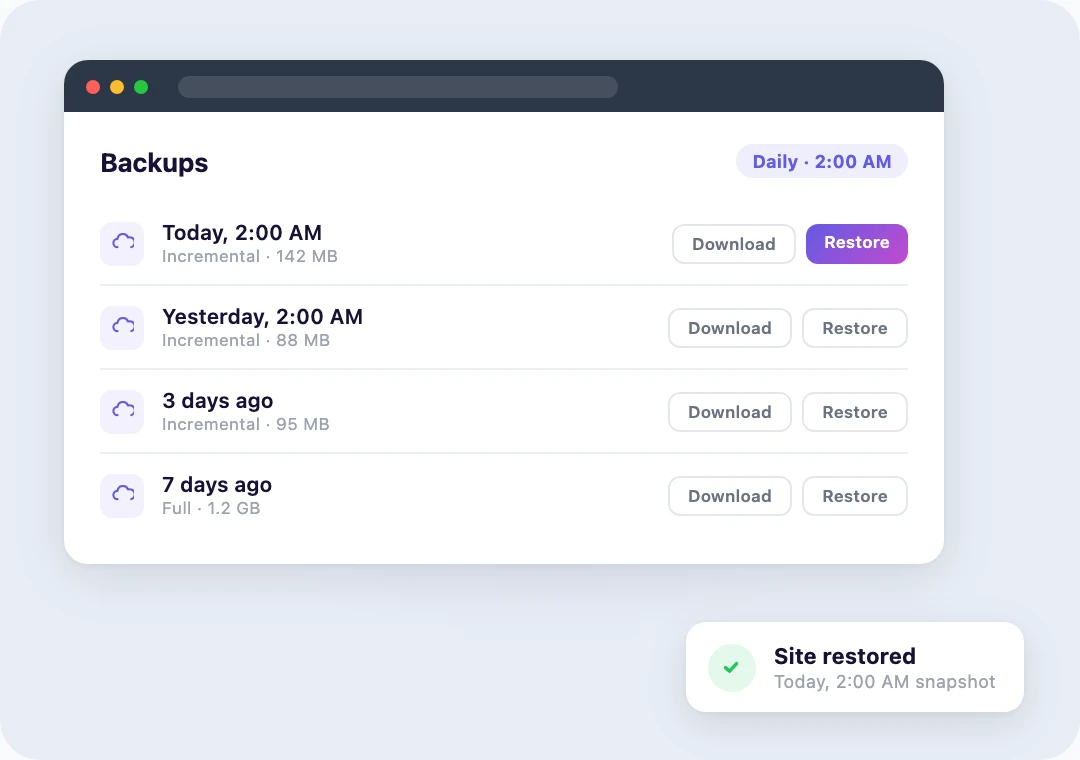
Automated incremental backups run on a schedule, and a single click restores, downloads, or creates a fresh snapshot. Every backup carries a full log with date, time, and file size.
What Customers Say About the Rapyd Dashboard
John Turner
 Duplicator
Thomas B.
 G2
G2
Chris Klosowski
 EDD
EDD
Lawrence Ladomery
Zariah T.
G2
Steven G.
G2
Frequently Asked Questions
Common questions about the Rapyd Cloud dashboard.
What does "managed" actually include — what do I handle versus what Rapyd handles?
Rapyd handles servers, PHP version updates, database optimization, SSL certificates, Cloudflare's Enterprise-grade CDN, daily backups, malware scanning, the web application firewall, DDoS protection, uptime monitoring, and 24/7 expert chat. KeyDB Object Cache is included on Business plans and above. You manage your WordPress content. We manage everything underneath it.
Do I need to install caching, CDN, or security plugins separately?
No. LiteSpeed page caching, Cloudflare's Enterprise-grade CDN, KeyDB Object Cache (Business plans and above), the web application firewall, malware scanning, and DDoS protection are all included and configured for you. There's no cache plugin to wrangle and no CDN to set up — it's already running.
What's the difference between an environment and a site on Rapyd?
An environment is an isolated cloud container with its own dedicated CPU, RAM, and PHP workers. You can run multiple WordPress sites inside one environment, sharing those resources. For high-traffic sites, give each one its own environment. For smaller sites, group them together. You can create as many environments as you want and add sites up to your plan's limit.
How do I create a staging site?
From the dashboard, click "Create a Staging" on any production site. Rapyd spins up a staging copy in minutes that mirrors your production database, plugins, themes, and server configuration. Test your edits there without affecting your live site.
Can I add team members with different levels of access?
Yes. Invite teammates and clients with role-based access — Administrator, Billing Manager, Member, or Guest. Each role sees only the sites and actions you want them to touch. Revoke access just as easily when a project ends.
Can I roll back a plugin update if it breaks something?
Yes. The Manage Plugins panel lets you update plugins and roll back to the previous version with one click — even if a broken plugin locks you out of WP Admin. If you'd rather restore the whole site to a pre-update state, automated backups make that one click as well.
Can you migrate my existing WordPress site for me?
Yes, and it's free. Submit a migration request from the dashboard and our team handles the entire transfer — database, files, plugins, themes, DNS, and SSL. Zero downtime, no DIY required.

Run Your WordPress Sites From One Dashboard
Join other WordPress site owners and developers who manage faster with Rapyd Cloud.