Duplicator is one of the most trusted WordPress backup and migration plugins in the world, and one of the original tools built to solve a problem WordPress has never solved for itself: how to safely move, copy, protect, and restore a site when everything is on the line. Launched in 2011 and downloaded over 50 million times, Duplicator has become the go-to solution for critical moments, when a site is down, a migration must work, or a client is waiting.
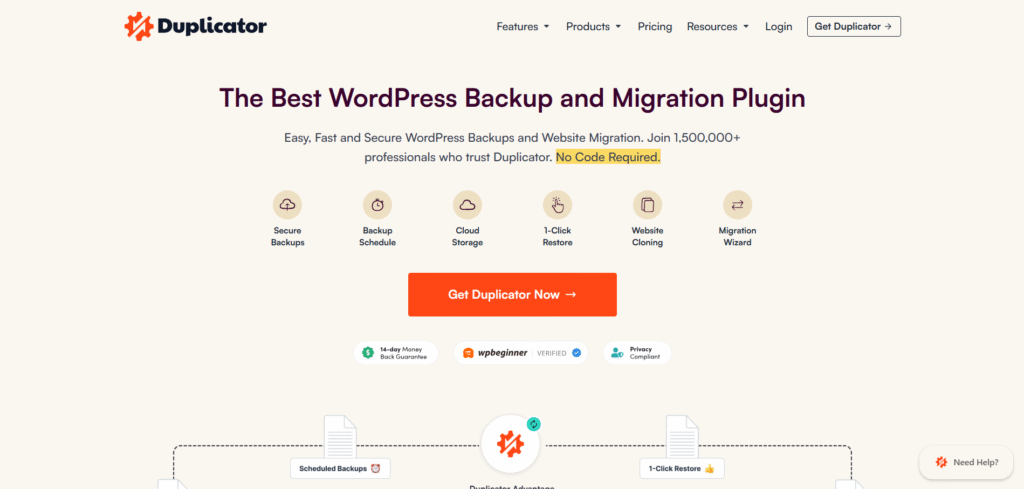
Unlike competing tools that handle only part of the workflow, Duplicator covers the entire process: automated backups, cloud storage, one-click disaster recovery, site cloning, staging, and complex migrations, all without requiring a single line of code. Its proprietary DupArchive technology is built for the scenarios that break other tools at scale, handling massive databases, WordPress Multisite networks, and constrained shared hosting environments, with real-world backups tested at sizes up to 400GB.
With over 1.5 million active users ranging from solo site owners to agencies managing dozens of client sites, Duplicator has evolved beyond a backup plugin into a complete site management toolkit trusted by professionals who cannot afford failure at critical moments.
As the product expanded and Duplicator.com itself grew into a high-traffic WordPress property, the team’s expectations for their own hosting rose accordingly. As experts who work with WordPress hosting environments every day, they know the gap between what hosting companies promise and what they actually deliver. That is what made the move to Rapyd Cloud stand out. The performance improvement was immediate, but the most meaningful change happened behind the login screen. wp-admin became fast and responsive, and the friction the team had quietly adapted to disappeared. In this case study, Duplicator’s President, John Turner, shares what that shift looked like in practice, why a slow backend carries hidden costs, and why a company that helps over 1.5 million users protect their WordPress sites cannot afford to run its own infrastructure that falls short.
Rapyd Cloud: Please briefly tell us about your background and role at Duplicator, and what initially drew you to building backup and migration tools for the WordPress ecosystem.
John Turner: I’m the President of Duplicator, and between our team’s projects, we’ve had plugins downloaded over 50 million times. Duplicator itself launched in 2011, which makes it one of the original backup and migration plugins in the WordPress ecosystem. We’ve been at this for a long time.
What drew us to this problem was straightforward: we were WordPress users and developers ourselves, and the gap was obvious. WordPress had become a genuinely powerful platform, but the infrastructure around safely moving, copying, and protecting sites hadn’t caught up. The tools that existed were either too limited, too technical, or too unreliable to trust with a client site. We built Duplicator because we needed it, and it turned out plenty of other people needed it too. Over 50 million downloads later, that issue clearly hasn’t gone away.
We’ve always been a small, bootstrapped company. That shapes how we build. We’re optimizing Duplicator to work when site owners need reliable backups or help when their site is down. That focus is what’s kept Duplicator trusted by WordPress professionals for over a decade.
Rapyd Cloud: Duplicator has grown to over 1.5 million users. What does that kind of adoption tell you about the problem WordPress site owners are still trying to solve around backups and migrations?
John: It tells me the problem is still fundamentally unsolved at the platform level. WordPress makes it easier than ever to build a professional website – you don’t need to write code, you don’t need a developer, and you can be up and running in hours. But the moment you need to move that site, clone it for a client, or restore it after something goes wrong, you’re suddenly dealing with complexity that WordPress doesn’t handle for you. You’re dealing with database configurations, serialized data, file permissions, and hosting environments that are never quite the same from one server to the next.
1.5 million users tell me that the gap between “I can build a WordPress site” and “I can safely manage, migrate, and protect it” is still enormous. And the cost of getting it wrong is a lost client or a site that’s gone. People find Duplicator because they’ve hit that wall, and once they have a reliable solution, they stick with it.
Rapyd Cloud: There are established players in this space like All-in-One WP Migration, UpdraftPlus, and Migrate Guru. How does Duplicator approach the problem differently? Where does it genuinely pull ahead, and who is it really built for?
John: The honest answer is that most competing plugins do one or two things well. UpdraftPlus handles scheduled backups for free but splits everything into separate files: database, plugins, themes, and uploads. If you get locked out of WordPress, you can’t restore because the restore functionality only works from the dashboard. Cloning costs extra.
All-in-One WP Migration caps free imports at 512MB and requires WordPress to already be installed on the destination. Migrate Guru does migrations only. No backups, no disaster recovery, no localhost support. You’d need a second plugin for everything else.
Duplicator is the only plugin that does all of it: backups, migrations, cloning, staging, and disaster recovery, all in one product. But the things that genuinely separate us from everyone in this space are two features no one else has.
The first is the standalone installer. WordPress doesn’t need to be pre-installed on the destination server. You migrate to a blank environment, and the installer handles everything.
The second is the disaster recovery URL. If your site is completely offline, you open a browser, paste the URL you saved when you set up your backup, and Duplicator restores your site. That’s it. No other plugin in this category can do that.
We also handle what actually breaks tools at scale: large websites, WordPress Multisite networks, and shared hosting environments where PHP limits and execution timeouts will kill a migration halfway through. Our custom DupArchive format has no theoretical size limit. We’ve had users create 400GB backups of live sites.
Who is Duplicator built for? Honestly, everyone from a site owner who wants to set up automated backups and never think about it again to an agency developer managing dozens of client migrations a month.
Rapyd Cloud: What are the most technically complex migration scenarios Duplicator handles that simpler tools tend to struggle with, things like multisite networks, very large databases, or shared hosting environments?
John: The scenarios that break other tools are usually the ones where the environment is the problem, not just the site. Multisite networks are a good example. The database structure is more complex, the relationships between tables matter, and a naive URL replacement corrupts data in ways that aren’t always immediately visible.
Duplicator can back up entire networks and individual subsites, migrate a subsite to a standalone installation, or convert a standalone into a subsite. Most competitors can’t do any of that.
Large databases are another common failure point. A lot of tools time out or fail silently when working with databases several gigabytes in size, especially on shared hosting with PHP execution limits and memory caps. Our DupArchive file format was built specifically to handle this through chunked processing with no size ceiling, confirmed at 400GB in real-world use.
Serialized data is something that trips people up constantly. WordPress stores a significant amount of data in serialized PHP format in the database, and if you do a naive string replacement during a domain or URL change, you break the serialization and the site fails in ways that can be genuinely hard to diagnose. Duplicator’s built-in search-and-replace handles this correctly without a separate plugin.
Shared hosting environments deserve their own mention because they impose constraints like low memory limits, execution timeouts, and restricted file system access. We’ve spent a lot of time making sure Duplicator works reliably in those environments because that’s where a significant portion of our users live.
The installer-based approach is a big part of why we can do this. Rather than depending on the destination environment to run a complex migration script, we bundle everything the site needs to deploy itself.
Rapyd Cloud: Your website mentions “no code” as a key selling point, but WordPress itself is a no-code CMS. Who exactly is that message aimed at, and what would someone still find technically intimidating about backup and migration without Duplicator?
John: It’s for people who are most likely to need it: agency owners, freelancers, and professional site managers who are completely comfortable building and managing WordPress sites but aren’t developers in the traditional sense. They’re not afraid of WordPress. They’re afraid of the command line, of SSH access, of making a database change and not being able to undo it.
And that fear is legitimate. Even for technically capable people, a migration without the right tools means manually exporting a database, editing a SQL file, uploading files via FTP, editing wp-config.php, and then hunting down whatever broke during the URL replacement. Each step is a place where something can go wrong in a way that’s hard to diagnose. For someone managing a client site, that’s a liability.
“No code” for us means that the entire process — from packaging a site to deploying it on a new host — can be completed without touching a terminal, editing a config file, or writing a single line of code. That’s meaningful, even for users who technically could do it the hard way.
Rapyd Cloud: What were the infrastructure or hosting constraints that Duplicator was running into before moving to Rapyd Cloud, and what made it clear a change was needed?
John: The short version is that our site was fast for visitors but slow for us. The front end performed reasonably well, but the moment you logged into WP-Admin, the experience degraded significantly. Page loads were sluggish, navigating between screens felt heavy, and routine tasks took longer than they should have.
For a company that builds WordPress tools used by over 1.5 million people, that’s not just an inconvenience. Our team lives in the WordPress dashboard. When the backend is slow, it affects everything from content updates to plugin testing to customer support workflows. We needed hosting that performed well on both sides of the login screen, not just the public-facing one. That gap is what made it clear that a change was needed.
Rapyd Cloud: After moving to Rapyd Cloud, what was the most noticeable change in day-to-day operations, whether that was performance, stability, or something else entirely?
John: The wp-admin speed difference was immediate and obvious. The exact thing that was dragging us down before, a slow, logged-in experience, was gone. Dashboard pages loaded fast, navigating between screens felt responsive, and the day-to-day friction we had gotten used to just disappeared.
That matters more than people might think. When your team spends hours a day working inside WordPress, even small delays compound. Faster backend performance means faster content publishing, faster QA, and less time waiting on the tool you’re supposed to be building for other people. It wasn’t a dramatic infrastructure overhaul on our end. We moved to Rapyd Cloud, and the problem we had been working around for a long time simply went away.
Rapyd Cloud: Rapyd Cloud is built specifically for dynamic, high-traffic WordPress sites. Given that Duplicator’s own users are often running exactly those kinds of sites, how does that shared context shape the way you think about your own hosting needs?
John: There’s a real alignment there that influenced our decision. Our users are agencies, developers, and site owners running production WordPress sites where performance and uptime directly affect their business. We hear from them constantly about what breaks, what slows things down, and what their hosting environment gets wrong. We have an unusually clear picture of what high-traffic WordPress sites actually need to run well.
So when we evaluate hosting for Duplicator.com, we’re applying the same standard our users apply to their own sites. A slow wp-admin is a problem we’d never accept for a client site, so we won’t accept it for ours. An unreliable server during a traffic spike is something we’d help a client migrate away from, so we won’t stay on one ourselves. Rapyd Cloud being purpose-built for exactly this category of site meant it wasn’t a compromise in any direction.
There’s also something to be said for credibility. When a WordPress professional visits Duplicator.com and it loads fast, that’s not accidental. The site itself is a signal. We’re not going to recommend that our users take site performance seriously and then host our own product on infrastructure that doesn’t back that up. Choosing Rapyd Cloud was consistent with how we think about quality across everything we ship.
Rapyd Cloud: Where is Duplicator headed over the next couple of years, and what does the future of WordPress backup and migration look like to you?
John: We’re investing heavily in two areas: making Duplicator faster and smarter. On the speed side, incremental backups are coming. Instead of packaging an entire site every time a backup runs, incremental backups capture only what has changed since the last backup. For large sites and agencies managing dozens of client installations, that’s a meaningful reduction in storage, processing time, and cost. It also makes running more frequent backups practical in a way that full backups simply aren’t.
On the intelligence side, we’re leveraging AI aggressively to improve our processes and find efficiencies across the product. That work is ongoing, and it’s going to show up in meaningful ways for users over the next couple of years.
We’ve also been expanding what Duplicator does beyond the backup and migration core. We just launched one-click staging and remote recovery directly from Duplicator Cloud, our own in-house cloud storage built specifically for WordPress backup storage. You can trigger a full recovery without touching the wp-admin dashboard at all. That’s a significant shift in how accessible these processes are.
And we’ve been building out a broader ecosystem. We recently launched Activity Log and WP Media Cleanup as standalone plugins, both bundled with Duplicator. Activity Log gives you a complete audit trail of everything that happens on your site. WP Media Cleanup finds and removes unused image variations that have been quietly consuming storage for years.
What we’re seeing is that users are now relying on Duplicator products at multiple stages of their workflow, not just when they need to back up or migrate. That’s the direction we’re headed: a complete site management toolkit, not just a single-purpose plugin.
Rapyd Cloud: What would be your recommendation to other SaaS owners or businesses looking for reliable managed WordPress hosting, particularly regarding Rapyd Cloud?
Chris: My recommendation is simple: look at what other WordPress professionals are running their own sites on. We work with WordPress hosting environments all day, every day — that’s the business we’re in. So when we evaluated hosting for Duplicator.com, we weren’t guessing about what good performance looks like. We know what fast feels like, we know what reliable support looks like, and we know what it means when a host is actually built for WordPress rather than just marketed toward it.
We moved to Rapyd Cloud because it met the standard we hold our own users to. The performance gains were immediately noticeable. Our site is significantly faster, and we’re seeing the benefits across the board. For any SaaS owner running a WordPress site, especially one where speed and uptime directly affect conversions and credibility, that’s not a small thing. When WordPress professionals choose a host for their own site, that says something.