





Getting your visitors’ attention at the right moment can significantly improve engagement on your website. Whether you want to promote a special offer, share an announcement, or highlight an important page, tools like notification bars, popups, and slide-ins make it easy to display messages without interrupting the browsing experience.
ConvertForce is a WordPress plugin that helps you create these attention-grabbing elements quickly. It allows you to add notification bars, popups, and slide-ins to promote offers, share updates, or guide visitors to key pages. The plugin currently focuses mainly on notification bars, while popups and slide-ins are also available.
What makes ConvertForce unique is that it is fully block-based and built for the Gutenberg editor. Instead of using a separate builder, you can design campaigns using the familiar WordPress block interface, making the process simple and intuitive.
In this review, we’ll take a closer look at ConvertForce’s features, ease of use, installation process, and how it performs on a WordPress site hosted on Rapyd Cloud.
First, What is ConvertForce?
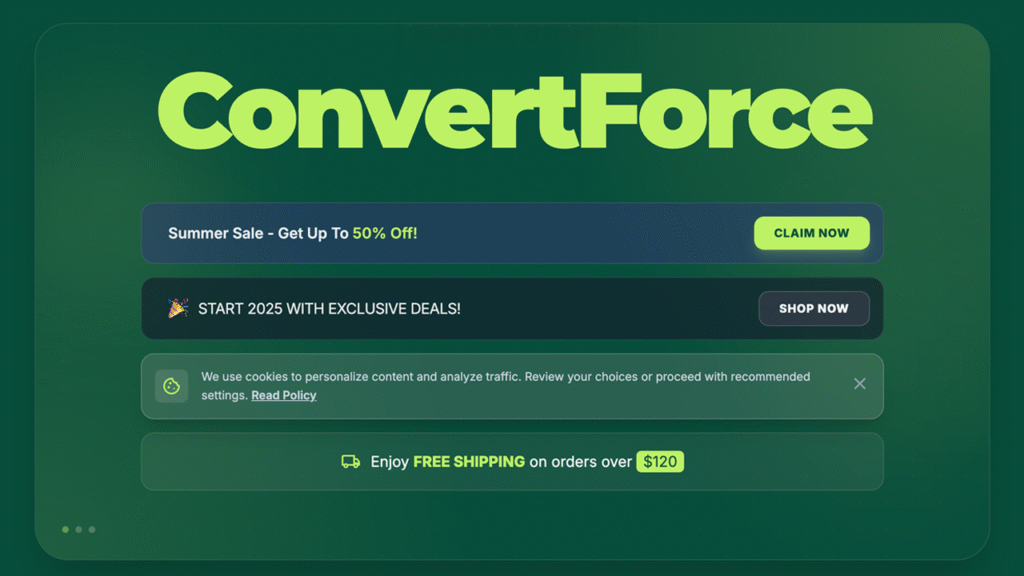
ConvertForce is a block-based WordPress plugin that helps you display important messages on your website using notification bars, popups, and slide-ins. These elements make it easy to promote offers, share announcements, or guide visitors to key pages without changing your main content.
The plugin is built specifically for the Gutenberg editor, allowing you to create campaigns using the familiar WordPress block interface. Instead of learning a separate popup builder, you can design your campaigns with blocks.
While ConvertForce supports multiple campaign types, it currently focuses mainly on notification bars. Popups and slide-ins are also available, giving website owners flexible ways to highlight messages and boost engagement.
Key Features of ConvertForce WordPress Plugin
ConvertForce includes several useful features that help website owners display important messages through notification bars, popups, and slide-ins. Since the plugin is fully block-based and built for the Gutenberg editor, creating and customizing campaigns feels familiar and easy for WordPress users.
Below are some of the key features that make ConvertForce a simple yet powerful plugin for boosting engagement on WordPress websites.
Block-Based Campaign Builder
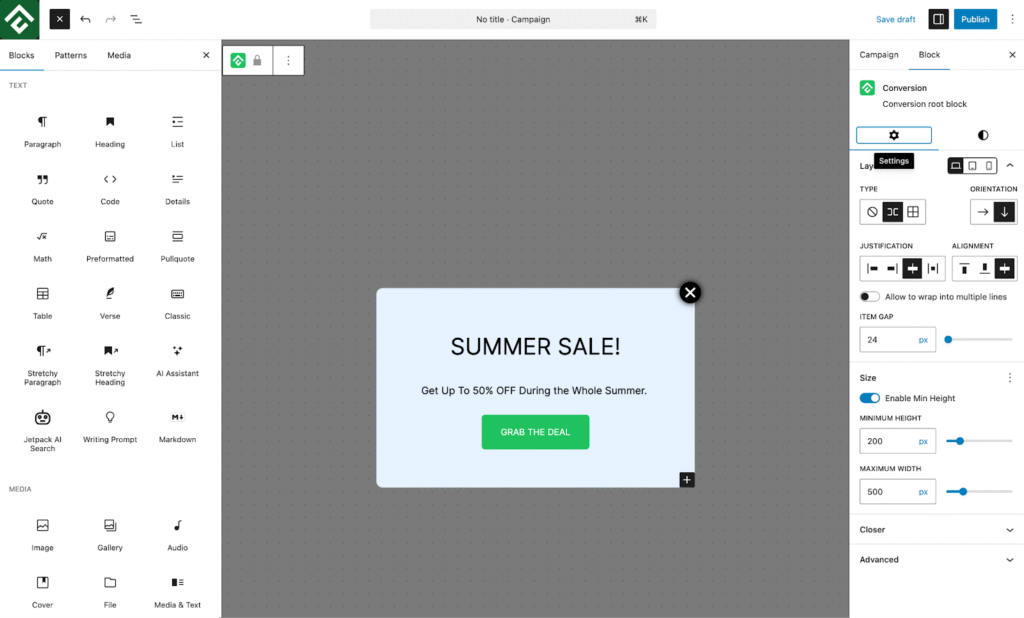
One of the biggest advantages of ConvertForce is its block-based campaign builder, which is fully integrated with the Gutenberg editor. Instead of relying on a separate popup builder, the plugin allows you to create and design campaigns using the familiar WordPress block interface.
This means you can build notification bars, popups, or slide-ins using blocks, just like you would when creating a page or post. You can easily add text, buttons, and other elements, giving you flexible layout and design options without needing to learn a new tool.
This approach makes ConvertForce different from many traditional popup plugins. Most of them use separate visual builders, while ConvertForce works directly inside the native WordPress block editor, making the entire experience more intuitive for Gutenberg users.
Notification Bars
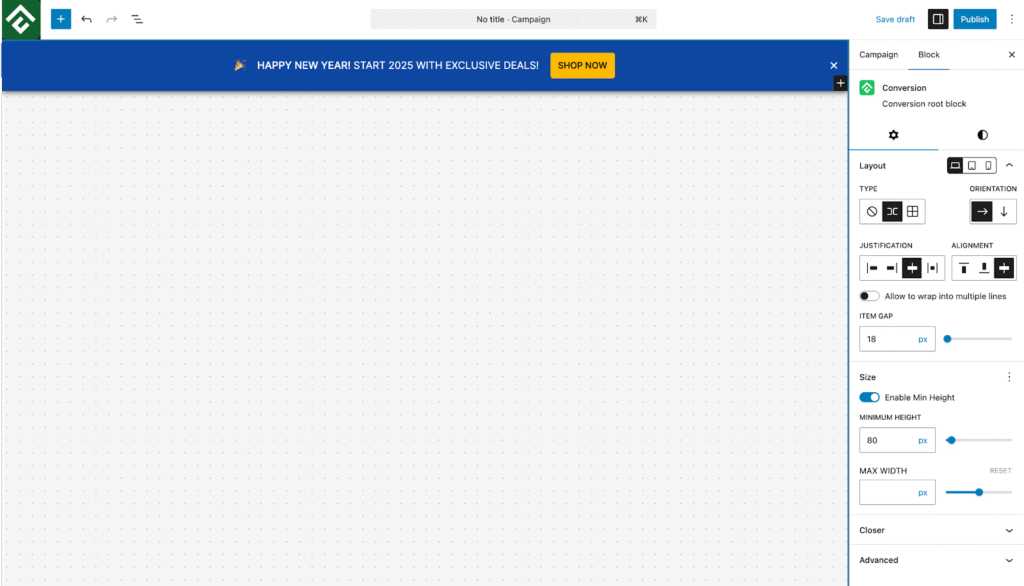
ConvertForce allows you to create notification bars that appear at the top or bottom of your website, making it easy to highlight important messages for your visitors. These bars are a simple yet effective way to grab attention without interrupting the browsing experience.
Notification bars are perfect for promoting special offers, announcements, limited-time deals, or new feature launches. Since they remain visible while visitors browse your site, they can help guide users toward important pages or actions.
It’s worth noting that notification bars are currently the main focus of ConvertForce, with the plugin being optimized to make creating and managing them as simple and flexible as possible.
Popups
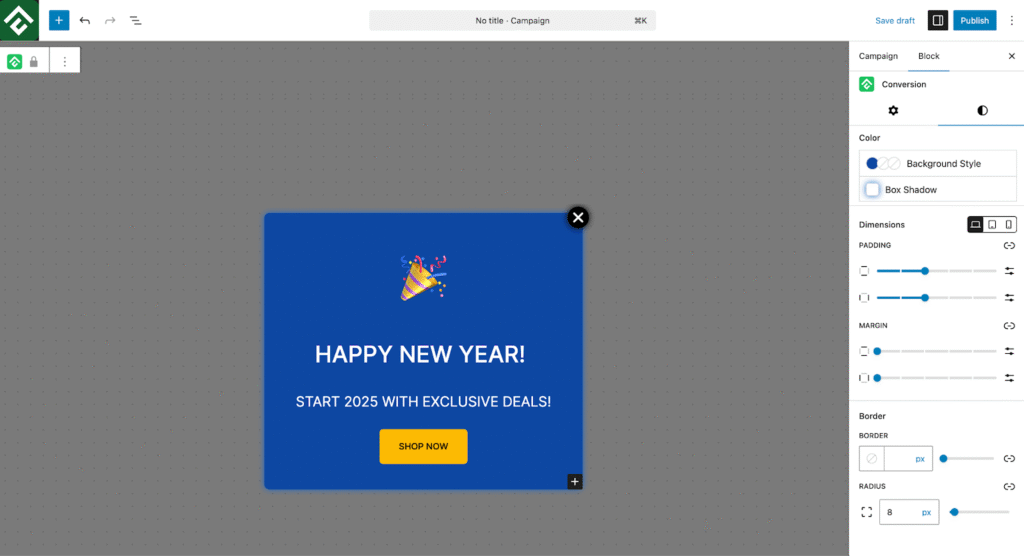
ConvertForce also lets you create popups to display important messages directly on your website. Popups appear on top of the page content, making them highly effective for capturing visitors’ attention at the right moment.
They can be used for highlighting special offers, promoting products, or directing visitors to important landing pages. With the block-based builder, you can easily design popup content using the familiar Gutenberg interface.
Slide-ins
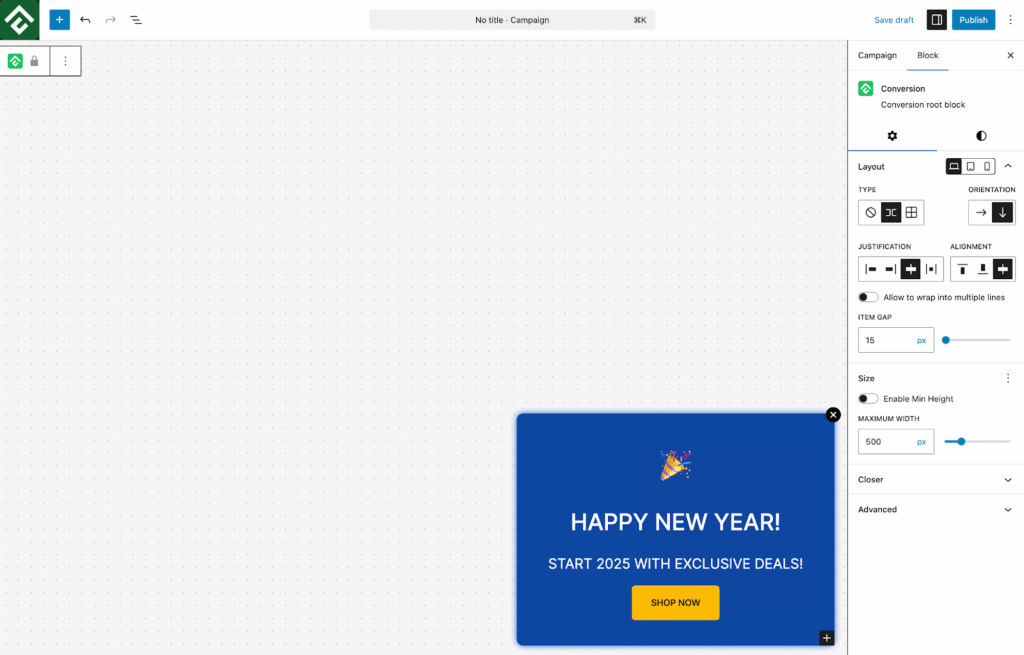
ConvertForce also supports slide-in campaigns, which appear smoothly from the corner of the screen. These messages are less intrusive than traditional popups while still being noticeable to visitors.
Slide-ins are ideal for subtle promotions, such as highlighting an offer, recommending a product, or directing users to important pages without interrupting their browsing experience.
Display Conditions
ConvertForce includes display conditions that allow you to control where your campaigns appear on your website. This helps you show the right message to visitors at the right place.
For example, you can choose to display a campaign on specific pages, blog posts, the homepage, or across the entire website, depending on your promotion or announcement. This flexibility makes it easier to target your messages more effectively.
Lightweight and Performance-Friendly
ConvertForce is designed to work smoothly with modern WordPress websites without slowing them down. The plugin is lightweight and follows WordPress best practices, ensuring it integrates well with the Gutenberg editor and other common plugins.
Because of its minimal footprint, ConvertForce has very little impact on site performance, making it suitable for a wide range of websites, including blogs, business sites, and WooCommerce stores. This ensures you can display notification bars, popups, or slide-ins while keeping your site fast and responsive.
ConvertForce Pricing
The plugin is currently completely free, allowing WordPress users to create notification bars, popups, and slide-ins without paying for additional features.
| Plan | Price | Features |
| Free | $0 | Notification bars, popups, slide-ins, display conditions, etc. |
Since all core features are available in the free version, ConvertForce is a great option for WordPress users who want an easy way to boost engagement and highlight important messages on their websites without additional costs.
ConvertForce vs Competitors
To better understand how ConvertForce compares with other popular tools, the table below highlights some key differences between ConvertForce and several well-known plugins that offer notification bars, popups, and similar features.
| Plugin | Notification Bars | Popups | Slide-ins | Gutenberg Based | Price |
| ConvertForce | Yes | Yes | Yes | Yes | Free |
| OptinMonster | Yes | Yes | Yes | No | Paid |
| Hustle | Yes | Yes | Limited | No | Freemium |
| My Sticky Bar | Yes | No | No | No | Freemium |
While many plugins offer similar campaign types, ConvertForce stands out because it is built specifically for Gutenberg users. Instead of relying on a separate builder, it allows you to design notification bars, popups, and slide-ins directly using the native WordPress block editor, making the workflow more familiar and flexible for modern WordPress websites.
Ease of Use
ConvertForce is designed to be simple and intuitive, especially for users who are already familiar with the WordPress block editor. The interface is clean and straightforward, making it easy to create campaigns without navigating through complicated settings or learning a new builder.
Since the plugin is fully block-based, creating campaigns feels very similar to editing a WordPress page or post. You can design your notification bars, popups, or slide-ins using blocks, which makes customization quick and flexible.
The typical workflow is also very simple:
- Install and activate ConvertForce
- Create a new campaign
- Choose the display type (notification bar, popup, or slide-in)
- Customize the layout using blocks
- Publish the campaign on your website
This streamlined process allows website owners to create and launch campaigns in just a few minutes.
Potential Drawbacks
Like any plugin, ConvertForce also has a few limitations that users should be aware of. At the moment, the plugin does not include email marketing integrations, which means you cannot directly connect it to email services for lead collection.
Additionally, A/B testing is not available yet, and some advanced targeting features that are common in larger marketing tools are still under development. These features could be important for users who want deeper campaign optimization.
However, the plugin is actively evolving, and many additional features are planned for future updates, which will likely expand its capabilities over time.
Example Use Cases
ConvertForce can be used in many ways to highlight important messages and guide visitors toward specific actions on your website. Here are a few common examples:
Promote Limited-Time Discounts
You can use a notification bar to promote special offers or limited-time deals.
Example: “Get 20% Off Today – Limited Time!”
Announce New Features
If you’ve recently launched a new feature or product update, a notification bar or popup can help bring immediate attention to it.
Promote Blog Posts
ConvertForce can also help drive traffic to important content by highlighting key blog posts or guides.
Highlight Special Events
Use notification bars or popups to promote upcoming webinars, product launches, or seasonal sales and encourage visitors to learn more.
Conclusion
ConvertForce is a block-based WordPress plugin that helps website owners display notification bars, popups, and slide-ins to boost engagement and highlight important messages. It is designed specifically for the Gutenberg editor, making campaign creation simple and familiar for WordPress users.
The plugin stands out because of its block-based builder, lightweight design, and completely free pricing. While ConvertForce currently focuses mainly on notification bars, it also supports popups and slide-ins for additional campaign options.
If you’re looking for a simple and modern notification bar plugin for Gutenberg, ConvertForce is definitely worth trying. Feel free to test it on your site and share your feedback in the comments.
